What you pay comes down to two things: the current official rate and how many scheduled task runs you actually use. This is a guide to metered Web CRON cost, not a price list. Treat everything here as a worked example with a date attached, not a standing quote.
Pricing examples must come from the official calculator and carry a calculation date.
What you pay comes down to two things: the current official rate and how many scheduled task runs you actually use. This is a guide to metered Web CRON cost, not a price list. It shows how to read the official estimator, walks through a few dated example calculations, and points you to the official ostr.io pricing page for the figures that count. Treat everything here as a worked example with a date attached, not a standing quote.
One rule shapes the whole page. There is no mirrored rate table on this site. Each of these Web CRON pricing examples records the date it was calculated, the assumptions behind it, the result the official calculator displayed, and a reminder to recalculate before you rely on it.
The page explains pricing procedure without copying tariff tables or publishing gated notification claims.
The model: metered, pay as you go
On the official pricing page, inspected on the date noted below, Web CRON is presented as pay as you go with no monthly fee: a base of $0 per month, a Web-CRON pricing section that references scheduled requests and Basic authentication, and a Web-CRON estimator. [ostr.io/info/pricing, accessed ] In plain terms, you are billed against metered usage rather than a fixed subscription. That display language can change, so it has to be re-checked against the official source immediately before publication.
This section stays deliberately high level. The actual rate breakpoints live on the official page, and this site does not reproduce them.
How to read the official calculator
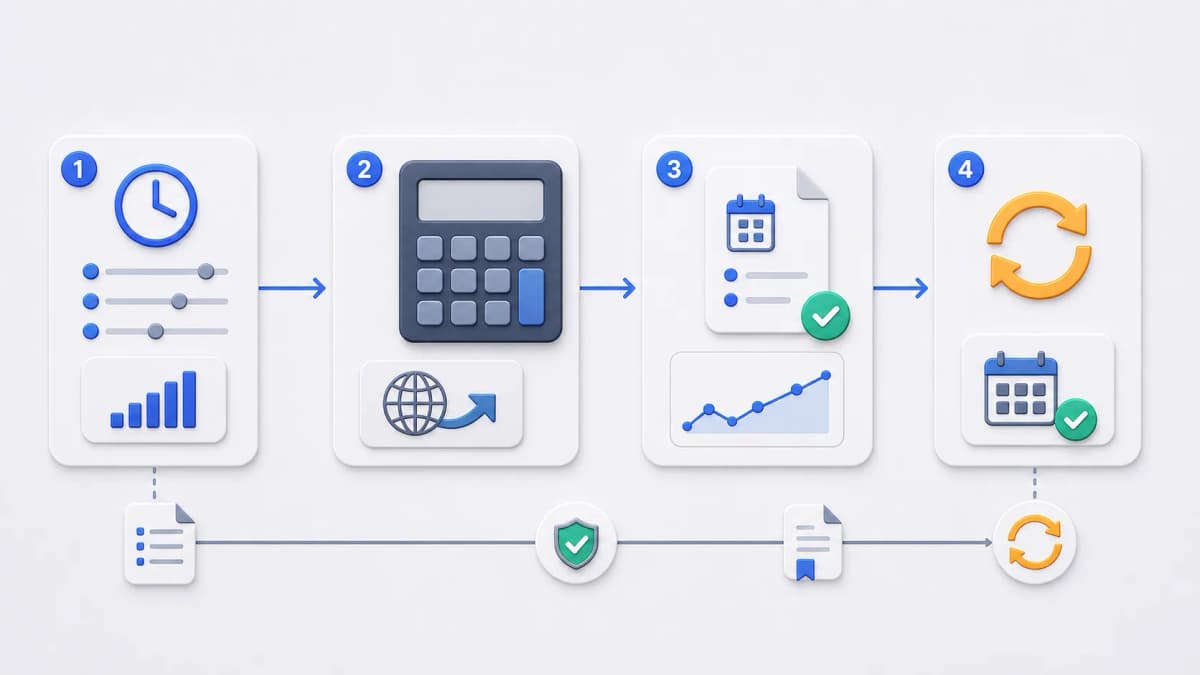
When cost matters to a decision, use the official estimator rather than any number on this page. The steps are short:
Open the official pricing page at the Web-CRON estimator.
Confirm the page still shows the Web-CRON pricing and estimator controls.
Enter your planned monthly scheduled task volume.
Record the displayed result, the calculation date, and the source URL.
Refresh and recalculate immediately before you publish or rely on the figure.
The output is a dated example, not a price guarantee. Capture it the way you would capture any measurement: with the date it was taken.
The figures below were read from the official rendered pricing page on . They are draft examples only, recorded to show the shape of metered cost at different volumes, and they must be recalculated before publication.
If the official calculator changes, these rows should be replaced with current displayed values or removed. They describe scheduled request pricing at three example volumes, nothing more, and they do not represent a fixed rate.
Why one monthly number is not a comparison
It is tempting to compare schedulers by a single monthly figure. Resist it. A fair comparison weighs schedule volume, authentication needs, response visibility, retry behavior, notification assumptions, operational control, and the current official price for each candidate together. A few specific cautions:
Every example value here is dated and will drift.
Different providers count usage differently, so the same workload maps to different meters.
Notification pricing and quantity claims may be gated separately and should not be assumed.
Free-tier and included-usage language changes without notice.
Operational fit often matters more than the headline number.
If you are weighing options, the alternatives overview frames the category and the sourced shortlist gives you per-option questions to ask. The use cases page helps you size the volume you should actually be estimating before you open the calculator.
Where notification pricing stops
Email and SMS alert claims stay gated even when related rows are visible on the pricing page. This page does not state that email is unmetered, that recipients are unlimited, that SMS is prepaid or metered or priced per message, or that phone numbers are unlimited, because none of that is confirmed for publication without recorded product-owner validation. For channel evaluation, the email alerts and SMS alerts pages handle each under its own rules, and current notification pricing belongs on the official source.
Examples age: refresh before you publish
Pricing examples go stale faster than almost any other content. Before publication or any material revision, open the official pricing page in a rendered browser, recalculate every example, update the calculation dates, and confirm that no copied rate table has slipped in. An undated price is worse than no price, because it looks current when it is not.
Continue to official pricing
When you know your expected monthly scheduled task volume, continue to the official pricing page for current calculator results, and then to Web CRON by ostr.io for product evaluation. The getting started page prepares the rest of the decision before you go.
Frequently asked questions
Where is the official pricing source?
The official pricing page, with the Web-CRON estimator. Current rates and calculator results live there; this site only keeps dated examples.
How should I calculate an example cost?
Open the official estimator, enter your planned monthly scheduled task volume, and record the displayed result with its calculation date and source URL. Recheck it immediately before relying on it, since metered rates and calculator values can change.
How stale can these examples be?
Treat them as expired on sight. The figures here were recorded on a specific date and are kept only to show how metered cost scales with volume; recalculate from the official source before any decision or publication.
Is there a monthly fee?
On the date inspected, the official pricing page showed a pay-as-you-go model with no monthly fee and a $0 base, which means you pay against usage. Confirm that framing on the official source before relying on it.
What about email and SMS alert costs?
Those are gated and not stated here. Check the official source and the dedicated email and SMS pages for current notification details.
Once you understand your expected monthly scheduled task volume, continue to the official pricing page for current calculator results, then to Web CRON by ostr.io for product evaluation.