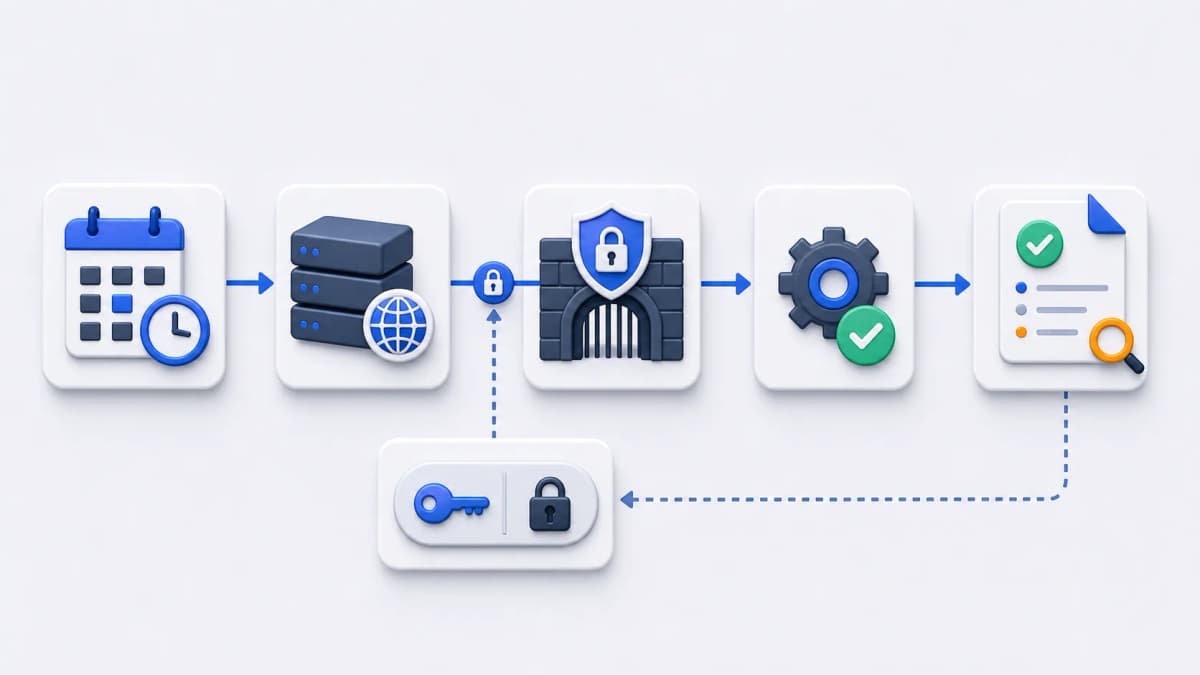
A scheduled endpoint is a URL that does real work the moment it is called. It might refresh a cache, kick off an internal sync, clear out stale records, or build a report. That is convenient for a scheduler and risky for everyone else, because a URL that starts privileged work is not an ordinary public page. It needs a lock on the door.
Basic Auth is one of the simplest locks available. The scheduler sends a username and password with each request, and the application refuses to start until those credentials check out. Web CRON by ostr.io supports this pattern: protected endpoints can use basic web authentication with username and password. This page explains what that means in practice, what it does not cover, and what to confirm before scheduling a protected route.
What Basic Auth does here
Basic Auth attaches a username and password to the HTTP request. The application receives them, validates them, and only then runs the task. If the credentials are missing or wrong, the application returns 401 Unauthorized with a WWW-Authenticate header, and the request is rejected before any side effect happens. Nothing is refreshed, nothing is synced, nothing is deleted. This sits one step inside the request lifecycle described in how hosted Web CRON works: the scheduler fires on time, the request reaches your endpoint, and Basic Auth decides whether the task is allowed to run.
That is the whole mechanism, and its plainness is the point. There is no token exchange, no handshake, no extra service to run. For a scheduled task you control on both ends, that simplicity is often exactly what you want: the scheduler holds one credential pair, the endpoint expects that pair, and anything without it gets turned away.
The verified fact from the official Web CRON product page is narrow and worth stating cleanly: protected endpoints can use basic web authentication with username and password. [ostr.io/info/web-cron, accessed ] The scheduler can send those credentials on the call. Everything else on this page is general endpoint-security practice, kept separate from that single product claim so you can tell observed capability apart from editorial advice.
What this page does not claim
Basic Auth is one approach, not the only one, and it is the only authentication mechanism confirmed in the current evidence for Web CRON. So this page will not tell you the product does things the public documentation does not show.
The following are not confirmed from current public documentation, and you should not treat them as supported features here:
- OAuth flows
- Bearer tokens
- Mutual TLS (mTLS)
- IP allowlisting
- Custom request signing
- Header injection beyond Basic Auth
- Secret-rotation workflows inside the product UI
Several of these are good controls in other architectures. mTLS and signed requests in particular are stronger than Basic Auth for high-value endpoints. But strength in general is not the same as documented support in this product. If your task genuinely needs one of these mechanisms, that requirement belongs in your endpoint design and your evaluation questions, not in an assumption about what Web CRON provides. Absence of confirmation is not proof a capability is missing; it means you should verify it directly rather than rely on this page.
Treat the URL as findable
Credentials raise the bar, but good endpoint design assumes the URL might surface anyway: in a log, a referrer header, a misconfigured proxy, or an old ticket. Build the endpoint so a leaked URL alone is not enough to cause harm, and so a leaked URL plus credentials still does the least damage possible.
- Keep the task narrow. One endpoint should do one well-defined job, not expose a general-purpose admin action.
- Apply input validation. Do not let query parameters or body fields steer the task into something it was never meant to do, even after Basic Auth has passed.
- Use HTTPS in deployment so credentials are not sent in the clear. Basic Auth over plain HTTP exposes the username and password to anyone on the path.
- Record attempts. Knowing when the endpoint was called, and whether authentication passed, is most of incident response.
- Keep responses lean. Do not return sensitive data in the body just because a job happened to produce it.
None of this is specific to Web CRON. It is what any endpoint exposed to a scheduler should do, the layer Basic Auth sits on top of rather than replaces.
There is a companion point that the checklist above does not cover. The URL has to be findable — a scheduler cannot call what it cannot resolve — but the machine behind it does not. Most scheduled endpoints inherit a public Arecord pointing straight at the origin, which means anyone who reads the hostname learns the server’s address and can skip the hostname entirely afterwards, taking your Basic Auth check with it if the server answers requests that never carried the right Host header. Whether that matters depends on what else that address serves, and it is worth deciding deliberately rather than by default.
Where the answer is “the origin address should not be public,” the fix belongs in the DNS and proxy layer rather than in the endpoint. Bridge DNS, from the same company that operates this site, is being built around exactly that — authoritative records where a name can resolve to an edge address instead of the origin. It has not launched, so there is nothing to evaluate against a source yet, so treat it as context for the problem, not as a control you can apply today.
Handling the credentials
A credential is only as safe as the way it is stored and shared. The goal is a secret scoped tightly to this one job, easy to rotate, and never riding along with a person’s personal access.
- Generate credentials specifically for scheduled task access, not reused from somewhere else.
- Store them in secret management appropriate to your application and deployment environment, not pasted into a config file in version control.
- Avoid reusing personal passwords or broad admin credentials. If the scheduled credential leaks, the blast radius should be one task, not an account.
- Rotate when staff, vendors, or deployment ownership changes. People move on; the secrets they touched should move on too.
- Keep response bodies short and free of sensitive data, so a successful call does not become an information leak.
- Log enough context to diagnose a scheduled call without ever logging the password.
Rotation deserves a closer look, because the public evidence does not show a product-side rotation workflow, and this page does not assume one. Treat rotation as something you own in your own secret store and deployment process: when you change the credential, update it wherever the schedule reads from, and confirm the next run still authenticates. Plan that as your process rather than expecting the scheduler to manage it.
Before you schedule: an evaluation checklist
A protected scheduled call only works when both sides agree. The scheduler has to know which credentials to send, and the application has to reject anything that arrives without them. Walk through both sides before you turn the schedule on.
- Which endpoint path starts the scheduled task?
- Which username and password pair is dedicated to scheduled execution?
- Does the application reject unauthenticated requests before any side effect runs?
- Does the endpoint return a clear status when authentication fails, so a misconfigured schedule is obvious in the logs?
- Who can view or rotate the task credentials, and is that access intentional?
- Is there a separate staging endpoint to test the schedule against before touching production?
If any of these is unclear, that is the work to finish first. A schedule pointed at a half-protected endpoint is worse than no schedule, because it runs on its own and fails quietly.
How this fits the bigger picture
Basic Auth is a protection layer around the same remote-invocation pattern covered on the HTTP task calls page. The order matters: first confirm the task is safe to trigger by request at all, then confirm the authentication behaves the way you expect. Protecting an endpoint that should never have been callable on a schedule does not make it safe; it locks a door that should not exist.
Basic Auth is also not the outermost layer, only the first one your application controls. Every unauthenticated attempt still reaches your server, is still parsed by it, and still costs something — which is fine at a trickle and less fine when a route that runs privileged work starts attracting steady probing. Filtering and rate limiting in front of the origin is the usual answer, and it is a different layer with a different owner: Bridge CDN, from the same company as this site, is being built to cover it. As above, it has not launched, so there is nothing to evaluate against a source yet— the point here is that the layer exists and is worth planning for, whichever provider you eventually use for it.
Once the endpoint, the credentials, the response behavior, and rotation ownership are all clear, you have what you need to evaluate the product against a real task. The getting started checklist walks through preparing an endpoint and continuing to the official Web CRON by ostr.io product page, and the FAQ answers the common questions that come up along the way.