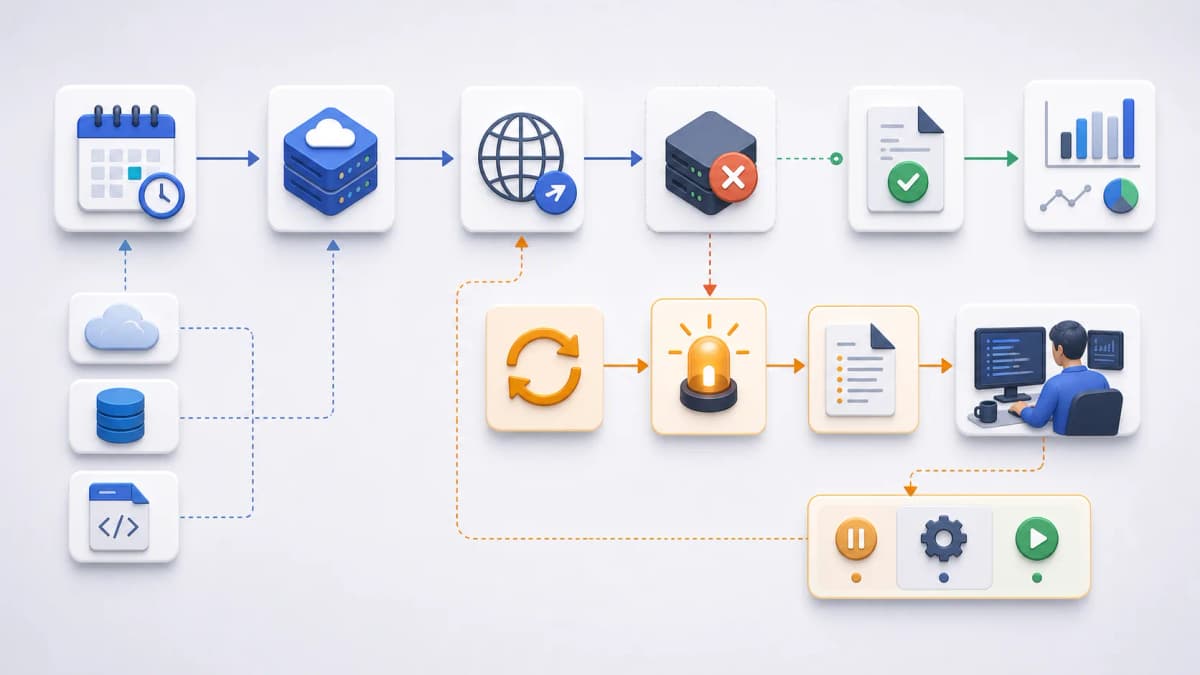
Scheduled HTTP tasks fail for ordinary reasons. The application is down, a dependency times out, credentials expire, or the endpoint returns an error you have not seen before. The real question is not whether a recurring task will eventually fail. It will. The question is whether you find out in time, with enough detail to fix it. This page helps you evaluate Web CRON failure alerts for Web CRON by ostr.io without assuming notification details the public documentation does not confirm.
Failure handling looks like a checkbox until the first 3am page that says nothing useful. So this page separates what is verified from what is not, and points you to the operational visibility that makes any alert worth acting on.
Failure planning starts at your endpoint, not the scheduler
Most teams reach for a scheduler’s alert settings first. That is backwards. A failure alert is only as honest as the response your endpoint returns, so the design work starts in your own application. Your failure alerts inherit the quality of that response: a vague body produces a vague alert.
Return clear status codes. A 2xx means the task did what it was supposed to do. A non-2xx means it did not, and the scheduler has something real to react to. An endpoint that returns 200 while quietly swallowing an exception is a common cause of a scheduled task that “never fails” and never runs correctly either.
Keep response bodies short and diagnostic. A failed run should hand back enough context to trace it: a correlation ID, the failing step, the downstream service that timed out. Save the verbose stack traces for your logs.
A few questions worth settling before you rely on any hosted scheduler:
- Which failures should return a non-2xx status, and which recover on the next run?
- Which failures are retry-safe, meaning a repeat call does no damage?
- Does the response include a correlation ID you can search for later?
- Which secrets must never appear in a response body or a referrer header?
- Who actually owns triage when a scheduled task fails on a weekend?
Get those answers right and the scheduler’s job becomes simple. It calls the endpoint, reads the status, and tells you when something is wrong.
What public evidence confirms about Web CRON failure alerts
Here the discipline matters. Public Web CRON evidence supports one narrow statement: when the server is unavailable, Web CRON can retry before it alerts. [ostr.io/info/web-cron, accessed ] That is a real, useful behavior, and it is the only retry claim we will make. Everything a Web CRON failure alert can honestly carry sits on top of that single fact.
What that single fact does not tell you is everything around it. The public documentation does not state a retry count, a retry interval, backoff behavior, timeout rules, the alert channel, the recipient model, or any delivery guarantee. So this page does not invent them.
To keep the line clean:
- Verified from the official source: retry attempts before an alert when a server is unavailable.
- Not confirmed from public documentation: exact retry count, retry interval, backoff curve, timeout thresholds, alert channel, recipient rules, and delivery guarantees.
If you are evaluating Web CRON failure alerts against a hard reliability requirement, treat the unconfirmed items as open questions to raise with the product, not as features you can assume. Refresh the official Web CRON page before you commit, because product behavior changes and this copy is drafted against a fixed evidence date.
Alerts are only useful when they point at evidence
A notification that says “your task failed” and nothing else just moves the work back to you. The value is in what you can see next.
That is the job of execution visibility: the logs and the latest response body for a run. Public evidence confirms that task information includes logs and the most recent response, which is exactly what you need to turn an alert into a diagnosis. The cron failure notification tells you something broke. The logs and response tell you what.
For the operational detail, including how logs, the latest response, retries, pause, and resume fit together, the execution control page covers it. When an alert fires, that is where a responder should land first, before touching the endpoint. A useful rule: every failure alert should answer two questions on sight, which run failed and where to look next, and the latest response body together with the run logs are what answer them.
Decide who hears about a failure, and how
Before launch, decide how a scheduled task failure reaches the right person. This is a routing decision, and it is yours to make regardless of which channel a scheduler offers. The aim is a failure alert that lands with someone who can act on it, not a log line nobody reads.
- Which role reviews failed scheduled tasks, and is that the same person at 2pm and 2am?
- Which channel should carry the first failure signal?
- What message content is safe to send outside the application, given that alerts often pass through third-party systems?
- How should a repeated remote cron job failure escalate, rather than firing the same low-signal message every five minutes?
- What on-call or business-hours rule applies, so a nightly batch job does not wake someone for a self-healing retry?
Escalation is where most alerting setups quietly fall apart. A single failure and a tenth consecutive failure are not the same event, and they should not produce the same page. Decide in advance which failures are noise to suppress on the first try and which deserve to interrupt someone’s evening.
Where the email and SMS claims stop
This page mentions alerting only at the level the evidence supports, which is retry before alert. It deliberately makes no claim about how many messages you receive, what they cost, how many recipients are allowed, or how many phone numbers you can register.
Those are channel-specific assertions, and they carry their own validation gates. If you need that detail, the email alerts and SMS alerts pages handle email and SMS evaluation separately, each under its own evidence rules. Quantity, billing, recipient, and phone-number questions belong there, not in a general failure-handling page, and they should be checked against refreshed product evidence before you depend on them.
From evaluation to a working setup
Once you know how failures should be returned, retried, reviewed, and escalated, the remaining work is preparation. Plan your failure alerts the same way: decide your status-code contract, add a correlation ID, scrub secrets from response output, and write down your escalation rule.
The getting started page walks through preparing the endpoint, and from there you can continue to Web CRON by ostr.io to evaluate the current product for your task. Reliability is mostly a series of small, deliberate choices made before the first failure, not a setting you flip after it.