Last reviewed: . [product evidence, accessed ]
A CRON expression turns a recurring task idea into a schedule a machine can follow. “Every morning at eight” becomes a short string of fields, and a scheduler reads that string to decide when to act. This CRON expression guide explains the common expression shapes for remote HTTP tasks, how schedule frequency should shape the endpoint you call, and what to verify in your actual scheduler before you trust it in production.
The expressions here are planning aids, not a promise about any one product’s parser. CRON has several dialects, and details like timezone defaults and the minimum allowed interval differ between tools. Confirm the exact behavior in the scheduler you choose before relying on a production schedule. Web CRON by ostr.io uses task rules similar to classic Linux CRON, which is the dialect this guide describes; when you are ready to evaluate current product behavior, the scheduling feature page is the next stop.
CRON expression anatomy
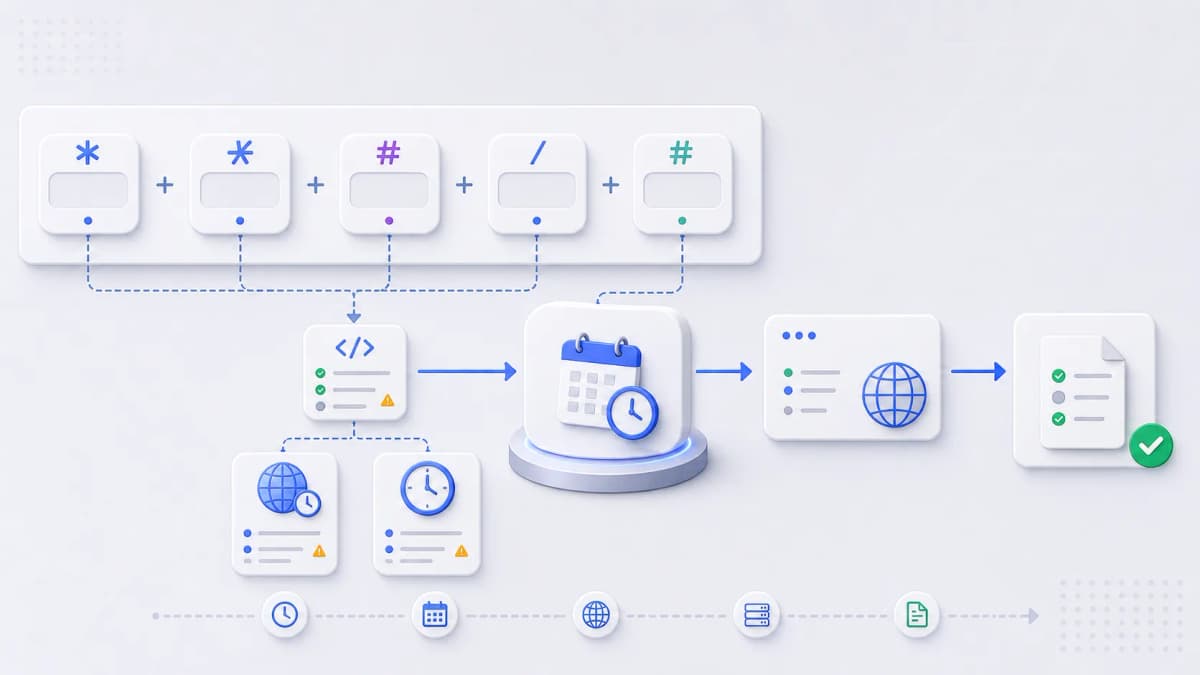
A classic CRON expression has five fields, read left to right: minute, hour, day of month, month, and day of week. Each field accepts a value, a wildcard, or a small set of operators, and together they describe when the task runs.
| Criterion | Example | What it means |
|---|---|---|
| Minute | 0 | Run at the top of the hour. |
| Hour | 2 | Run during hour 02 (2 AM). |
| Day of month | * | Any day of the month. |
| Month | * | Any month. |
| Day of week | 1 | Monday in many parsers; confirm your parser’s numbering. |
A few operators do most of the work. The asterisk *means “every” value for that field. A list like 1,15means “the 1st and the 15th.” A range like 1-5 means “Monday through Friday.” A step like */15in the minute field means “every fifteen minutes.” That small vocabulary covers the large majority of real schedules.
The day-of-week field is the one that trips people up. Some parsers count Sunday as 0, some accept 7 for Sunday as well, and some accept three-letter names like MON. When both day-of-month and day-of-week are set to specific values, parsers also differ on whether the task runs when either matches or only when both do. This is exactly the kind of detail to confirm in your own scheduler rather than assume.
Common scheduling examples
Treat these as starting points. Each one is a sensible shape for a common need, but the right schedule depends on your task, and every expression should be confirmed in your scheduler and tested against a harmless endpoint before it touches production.
| Criterion | Expression | Review before use |
|---|---|---|
| Run once per hour | 0 * * * * | Endpoint retry safety and how long one run takes. |
| Run every morning | 0 8 * * * | Timezone, and what "morning" means for your users. |
| Run every weekday morning | 0 8 * * 1-5 | Day-of-week numbering and public holidays. |
| Run overnight maintenance | 30 2 * * * | Deployment windows and whether dependencies are available. |
| Trigger a monthly report | 0 6 1 * * | Month-end versus first-day reporting logic. |
Reading the first one aloud helps the pattern click: 0 * * * *is “minute 0, every hour, every day, every month, every weekday,” which lands at the top of every hour. Change the first field to 30 and it runs at half past instead. Change the second field from * to 8and it runs only at 8 AM. The structure stays the same; you are just narrowing each field from “every” to “this.”
What the expression does not cover
For a hosted HTTP task, the schedule is one piece of a larger design. The expression decides when the request fires; it says nothing about whether the endpoint behind it is ready to be called on a timer. Before you wire up a schedule, the endpoint itself needs to hold up.
- The endpoint is safe to call on a schedule, with no harmful side effect from an unexpected run.
- The endpoint rejects unauthorized requests, ideally with the Basic Auth protection a scheduled call can carry.
- Response codes cleanly separate success from failure, so a bad run is visible.
- The response body avoids returning secrets or sensitive data.
- Failure behavior is defined and has an owner.
- The schedule’s timezone and parser behavior are verified in the actual scheduler.
These line up with the broader HTTP task calls and execution control evaluation, so the work you do here carries straight into choosing a tool.

Choosing a safe frequency
More frequent is not better. A schedule that fires every minute generates more load, more log noise, and more chances for runs to overlap or fail than one that fires once a day. The useful instinct is the opposite of “as often as possible”: pick the slowest schedule that still meets the business need, then check what that frequency costs and how it behaves under failure.
A handful of questions settle most frequency decisions:
- How stale can the data or the task result be before it actually matters?
- How long can a single run take, and could it still be running when the next one starts?
- What happens if two runs overlap, and does your endpoint guard against that?
- What downstream services does the task call, and can they handle the cadence?
- What metered cost could the frequency create over a month?
That last point connects directly to cost. Because hosted schedulers often bill by usage, frequency is a budget decision as much as a technical one; the pricing examples page covers how to think about metered cost with dated scenarios rather than guesswork.
Validating and testing a schedule
Do not rely on a copied expression alone, including the ones above. A CRON string that looks right can still misfire because of a timezone you did not expect or a parser rule that differs from the dialect you learned. Treat every new schedule as unproven until you have watched it behave.
A practical check runs in this order. Point the schedule at a harmless test endpoint first, not the real task. Confirm it fires at the wall-clock time you intended, which is where timezone surprises surface. Inspect the response the run produced, so you know success and failure look different in your logs. Then confirm what happens on failure before you move the schedule onto the production endpoint. Only after all four does a schedule earn its place in front of real work.
Mistakes that bite later
A few expression errors are common enough to call out, because they pass review and fail in production.
The first is confusing the step and range operators. */5in the hour field means “every fifth hour” (0, 5, 10, 15, 20), not “five o’clock”; if you wanted 5 AM, that field is just 5. The second is forgetting that the minute field defaults to firing every minute when you leave it as *. An expression like * 9 * * *does not run once at 9 AM; it runs sixty times, once per minute for the whole 9 o’clock hour. Setting the minute to 0 is almost always what you meant.
The third is assuming local time. Many schedulers default to UTC, so 0 8 * * * may fire at 8 AM UTC, not 8 AM where your users are. The fix is to confirm the timezone the scheduler uses and adjust the hour, or set the timezone explicitly if the tool allows it. None of these are exotic; they are the everyday slips that a quick test against a harmless endpoint catches before a real task does.
Continue your evaluation
Once you can read and write the expression you need, the remaining work is about the tool around it: how it schedules, how it calls your endpoint, how it authenticates, how it reports failure, and what it costs. The CRON scheduling feature page is the natural next step, and the getting started checklist pulls the endpoint, schedule, authentication, and failure plan together before you continue.