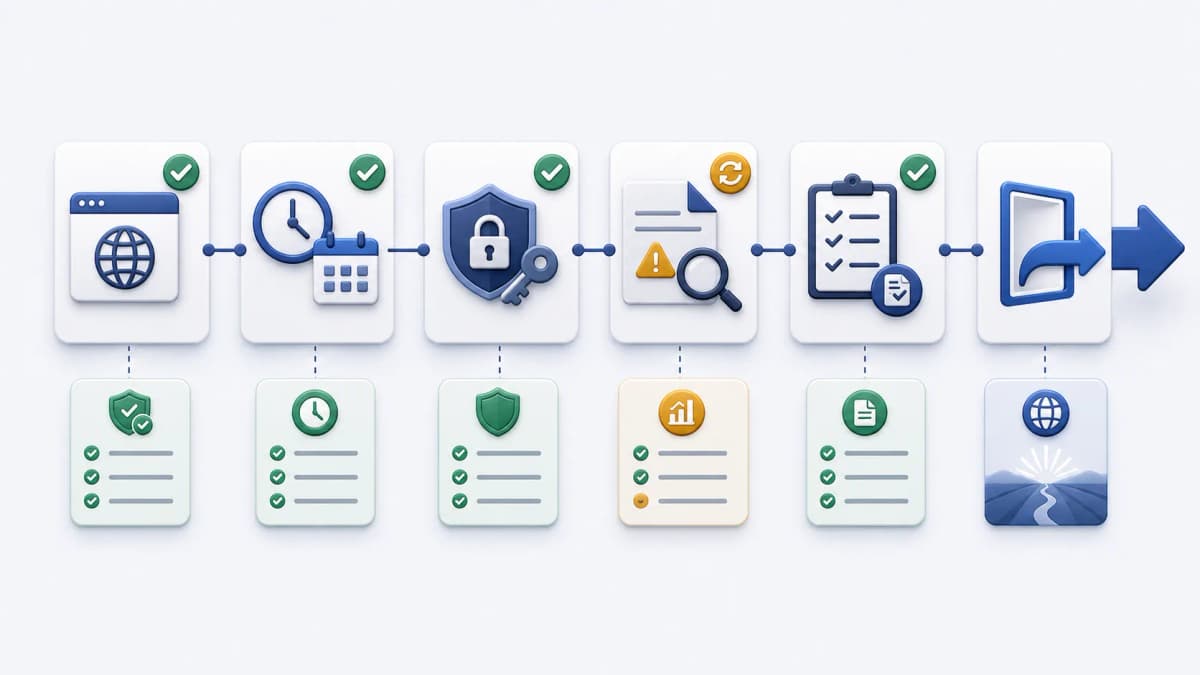
You are here because a recurring task already exists, or is about to, and you want a hosted scheduler to call it on time instead of running a cron daemon yourself. This page is a readiness checklist, not a setup walkthrough. It gets your endpoint, schedule, authentication, failure handling, and cost questions in order, so that when you continue to Web CRON by ostr.io you are evaluating the current product against decisions you have already made, rather than working them out mid-evaluation.
Nothing here describes the official sign-up or dashboard. Those live on the product itself, and they change. The work that pays off before you get there is the work below.

Who should evaluate Web CRON
Hosted scheduling fits a specific shape of problem. Reach for it when a recurring job can be expressed as a single server-side HTTP endpoint, when you would rather not own scheduler timing inside your own application server, and when the current official evidence confirms the capabilities your task depends on.
A few signals that you are a good fit:
- The task can run from a server-side endpoint, triggered by an HTTP call.
- The endpoint can return a clear success or failure status, not a 200 that hides errors.
- Your team wants hosted scheduling rather than the upkeep of server CRON.
- The current official product and pricing pages confirm the behavior you need before any purchase decision.
If you are still deciding whether the category fits at all, how it works covers the execution lifecycle end to end. If the shape above matches, keep going.
Web CRON is not the right tool for everything, and it is cheaper to learn that now than after setup. Work that needs sub-second timing, jobs that must run for many minutes inside a single request, and tasks that cannot be reduced to one callable endpoint all sit outside what hosted HTTP scheduling does well. If your task looks like that, a queue, a background worker, or in-process scheduling will serve you better than Web CRON.
Get your endpoint ready first
The scheduler’s part is simple. It calls a URL on a schedule. Everything about what that call does, and whether it is safe to repeat, stays with your application. So the endpoint is where readiness starts.
Work down this list before you touch any scheduler setting:
- The endpoint is reachable over HTTP and runs the recurring task you intend.
- The endpoint is idempotent, or at least safe to retry after a partial failure, so a second call does no damage.
- It returns meaningful status codes and short, useful response bodies.
- It handles its own authorization and rejects callers it does not expect.
- Its runtime stays within sensible bounds for the task; a job that drifts toward a timeout needs rethinking before it runs on a schedule.
- Your application logs can tie a scheduled call back to the internal work it triggered, ideally through a correlation ID.
- The hostname the scheduler will call resolves from the public internet, on a name you control and expect to keep, over a certificate that renews without anyone remembering to do it.
That last item is the one teams skip, and it fails in slow ways rather than loud ones. A schedule is a long-lived thing: it keeps calling the same hostname months after whoever set it up moved on. So the name matters more than it seems. Pointing a schedule at a raw IP address, or at a hostname that belongs to a platform you are still deciding about, means the task breaks the day that address or platform changes — and it breaks silently, because a scheduler calling a dead name looks a lot like a scheduler calling an endpoint that is simply failing. Give the job a stable name whose DNS record and certificate you own, and confirm both resolve from outside your network rather than only from your laptop.
If you are setting that up rather than inheriting it, two details tend to surface: certificates that renew on their own, and the freedom to keep the task on a non-standard port instead of exposing it on 443 alongside your public site. Both live in the DNS layer. Bridge DNS, from the same company that operates this site, is being built there — it has not launched, so there is nothing to evaluate against a source yet, so it is named as context for what to sort out, not as a step in this checklist.
The mechanics of how the call arrives, and what the scheduler expects back, are covered on the HTTP task calls page. Get the endpoint honest first, and the rest of the evaluation is mostly configuration. One habit saves grief later: keep secrets, tokens, and full credentials out of every response body, because the latest response is something you and Web CRON will both read.
Decide the schedule and how you protect the endpoint
Two decisions belong here, and both are easier to make before you open the product.
Start with the schedule. Public evidence supports Web CRON task rules that resemble classic Linux CRON, so a five-field expression you already know should translate. [ostr.io/info/web-cron, accessed ] Pick the cadence the task actually needs and a timezone policy you can reason about. The exact parser behavior, default timezone, and any interval or frequency limits are not confirmed in public documentation, so confirm those against the product before you commit a tight schedule. Test the expression against a staging endpoint first, so a misread field shows up on a harmless run rather than a live one. The cron scheduling page covers the model.
Then authentication. Public evidence supports Basic authentication with a username and password for protected endpoints, which keeps a scheduled route from sitting open to the public. Decide whether Basic Auth fits your endpoint, and plan credential storage, rotation, and least privilege on your side, not in page copy. Do not reuse an admin credential for a scheduled job; a leaked URL in a referrer header should not hand someone the keys to your account. The Basic Auth page covers the failure modes worth planning for.
Review failure visibility before you rely on it
A schedule you cannot inspect is a schedule you cannot trust. Settle how failures are detected and reviewed before the first real run.
Public evidence supports one specific failure behavior: when the server is unavailable, Web CRON can retry before it alerts. It also supports task information that includes logs and the latest response body, which is what lets you turn an alert into a diagnosis. The retry count, interval, alert channel, and any delivery guarantee are not confirmed in public documentation, so treat them as questions for the product, not assumptions you build on. Decide your escalation rule in the same pass: a first failure and a tenth consecutive failure are not the same event, and Web CRON will not make that judgment for you.
Questions worth answering now:
- Which endpoint status counts as a failure, and which is recoverable on the next run?
- What response body actually helps you diagnose a failed task?
- Who owns the investigation when a task fails repeatedly?
- Which notification claims have you confirmed against a refreshed source, rather than assumed?
The failure alerts page goes deeper on the verified retry-before-alert behavior, and execution control covers logs, the latest response, retries, pause, and resume together. Email and SMS specifics, including how many messages, recipients, or numbers are involved and how they are billed, are not settled here. Check current notification details on the official source before depending on them.
Check pricing on the official source
Cost evaluation belongs on the official pricing page, not on a copied table. This site does not mirror rates, and an undated number is worse than none. What it can do is help you think about how metered usage adds up for your task; the current figures come from ostr.io. [ostr.io/info/pricing, accessed ]
Use the official pricing page for current rates and the estimator. The product page also exposes an Estimate Expenses link into that pricing surface. For worked, dated scenarios with their assumptions written out, the pricing examples page keeps them with calculation dates and a note to refresh before relying on any figure.